Logs
RWX automatically captures stdout and stderr from the process that it runs. Logs are retained for 28 days by default, and each task can produce up to 5 MiB of logs.
Retention
Logs are retained for 28 days by default. You can configure a longer retention period on a task with outputs.logs.retention:
tasks:
  - key: deploy
    run: ./deploy.sh
    outputs:
      logs:
        retention: 1 year
Retention can be specified in days, weeks, or years (for example, 90 days, 12 weeks, or 2 years).
To configure log retention for all tasks in a run, use defaults:
defaults:
  outputs:
    logs:
      retention: 1 year

tasks:
  - key: deploy
    run: ./deploy.sh
Retention beyond the default is billed by storage. See the pricing reference for details.
Log groups
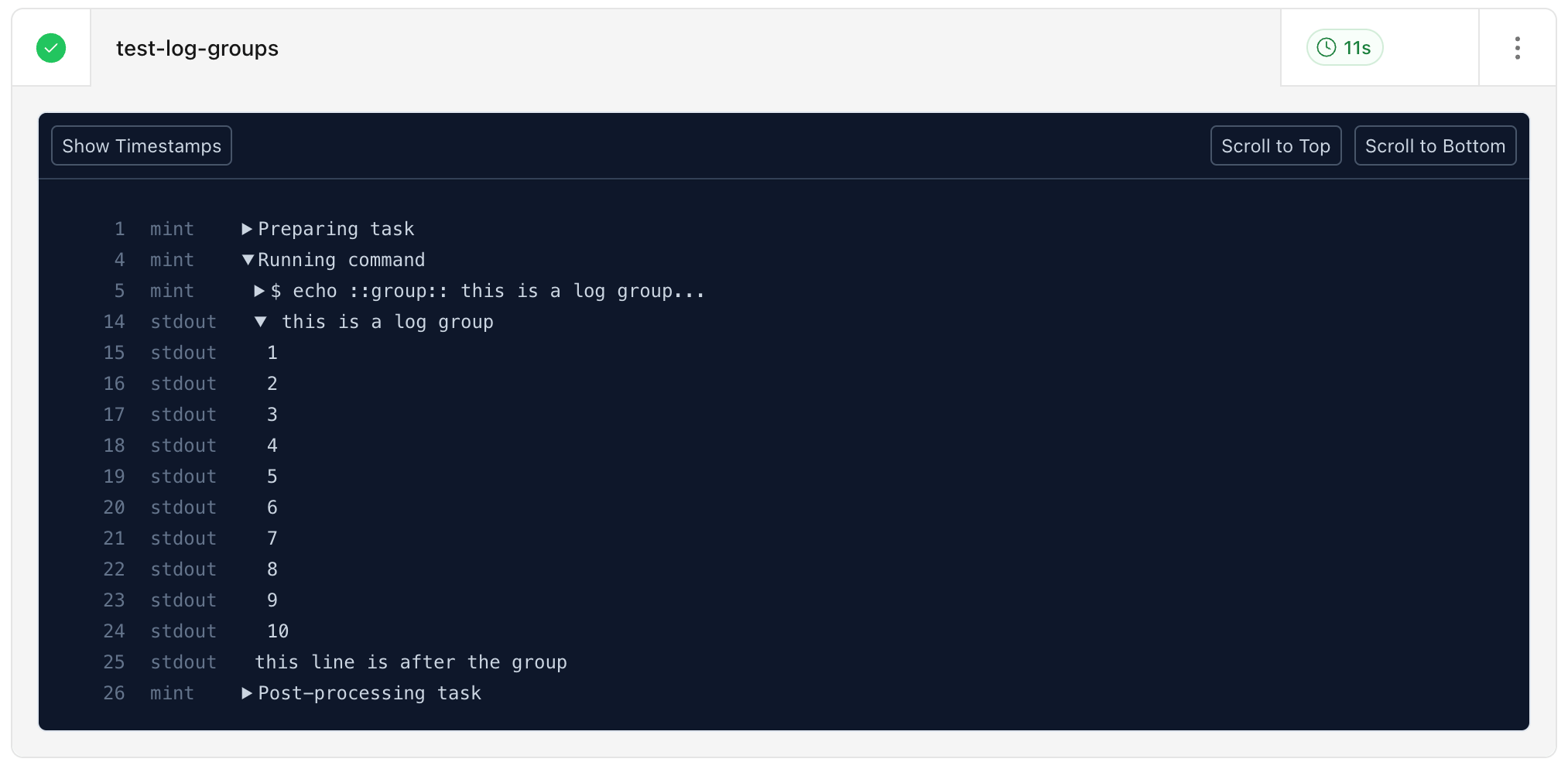
RWX supports groups of log lines which can be collapsed and expanded in the UI.
To create a group of log lines, write ::group:: at the start of a line.
You can include additional characters as a sort of title for the log group, such as ::group:: a description for the group.
To end the group, write ::endgroup:: at the start of a line.
Here's a full example.
tasks:
  - key: test-log-groups
    run: |
      echo ::group:: this is a log group
      for i in {1..10}; do
        echo $i
      done
      echo ::endgroup::

      echo this line is after the group
And here's how it looks in the results UI:
Custom messages
You can render important messages outside of your logs for additional emphasis by redirecting output to a file.
Errors
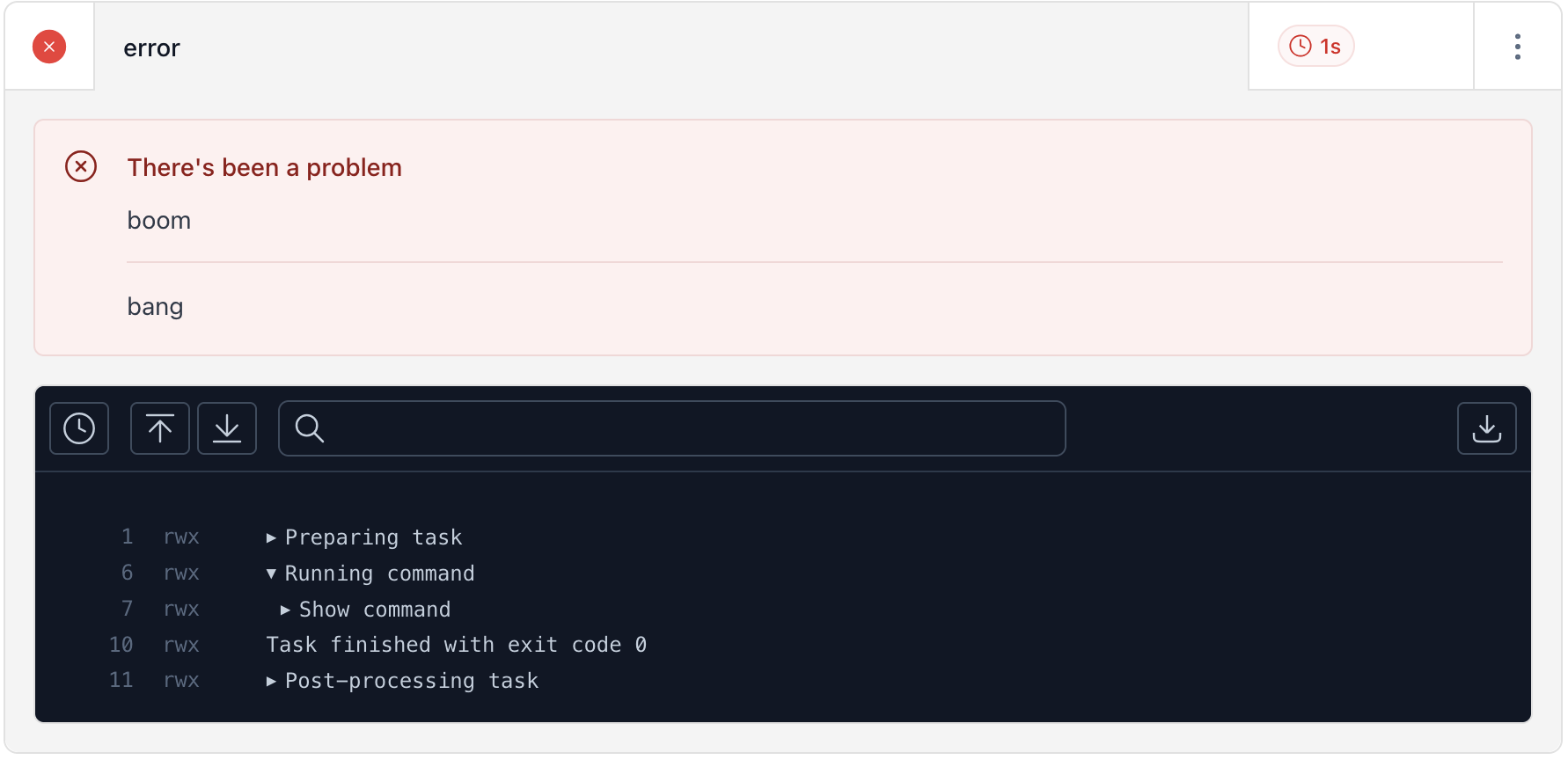
Redirect output to a file in the $RWX_ERRORS directory to produce an error message. For example:
tasks:
  - key: boom
    run:
      - echo "boom" > $RWX_ERRORS/error0
      - echo "bang" > $RWX_ERRORS/error1
Warnings
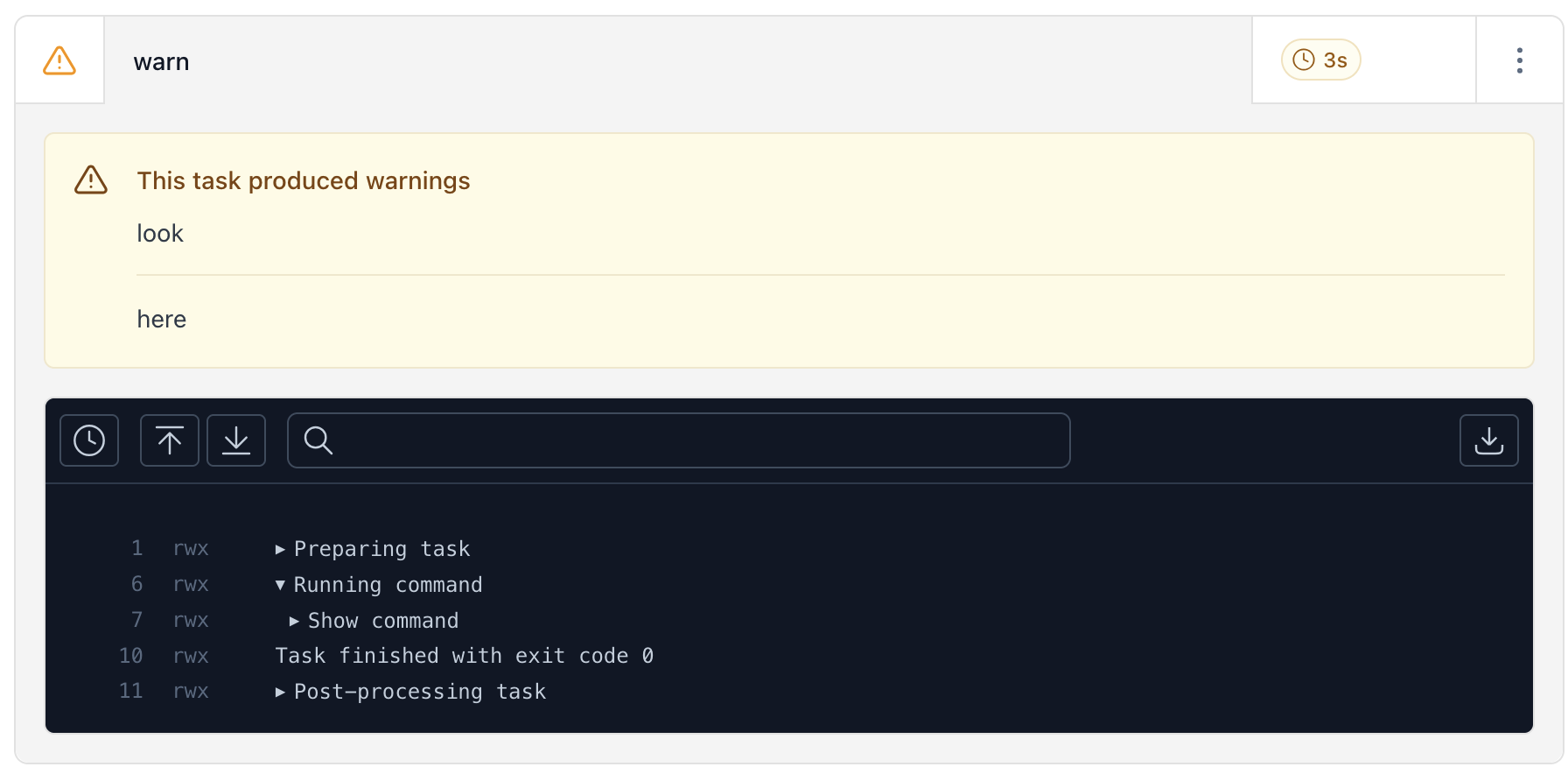
Redirect output to a file in the $RWX_WARNINGS directory to produce a warning message. For example:
tasks:
  - key: warn
    run:
      - echo "look" > $RWX_WARNINGS/warning0
      - echo "here" > $RWX_WARNINGS/warning1
Info
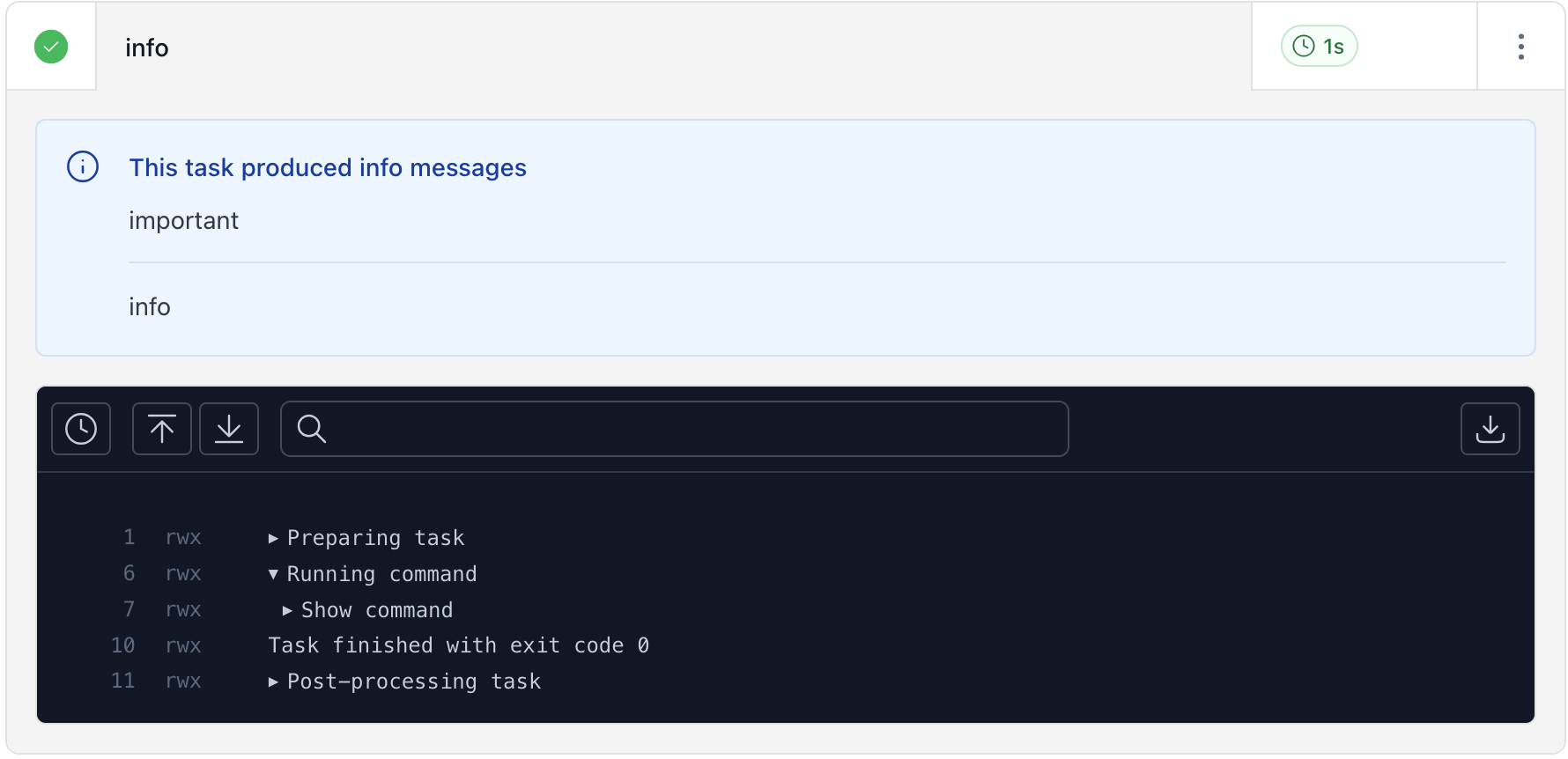
Redirect output to a file in the $RWX_INFO directory to produce an info message. For example:
tasks:
  - key: info
    run:
      - echo "important" > $RWX_INFO/info0
      - echo "info" > $RWX_INFO/info1