Grafana Integration
RWX can send telemetry to Grafana using OpenTelemetry. This allows you to observe and analyze your RWX usage and performance in Grafana alongside your application observability data.
Configuration
Configure the Grafana integration in your RWX organization settings
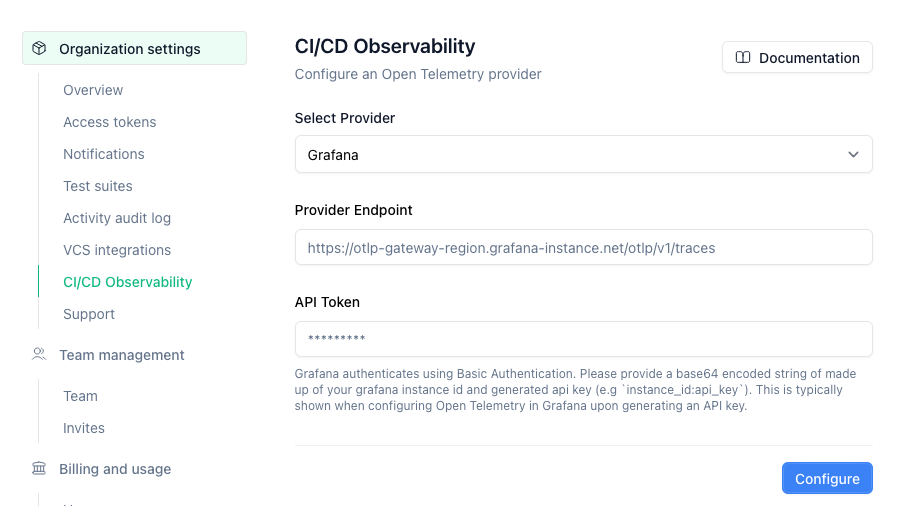
Open Telemetry Provider
Select Grafana as your OpenTelemetry provider.
Provider Endpoint
Find your grafana otlp endpoint within your grafana instance under Connections > Add new connection > OpenTelemetry.
API Token
Grafana authenticates trace ingestion using Basic Authentication.
The token needs to be provided as a base64 encoded string of instanceID:token.
You can produce this value yourself, or use the value that's shown to you upon generating an API token during OpenTelemetry setup. The token you generate needs permission to write traces to your Tempo instance.